> For the complete documentation index, see [llms.txt](https://docs.whales.market/llms.txt). Markdown versions of documentation pages are available by appending `.md` to page URLs; this page is available as [Markdown](https://docs.whales.market/affiliate-program/becoming-a-leader-member.md).
# Becoming a Leader/Member
Complete step-by-step guidelines
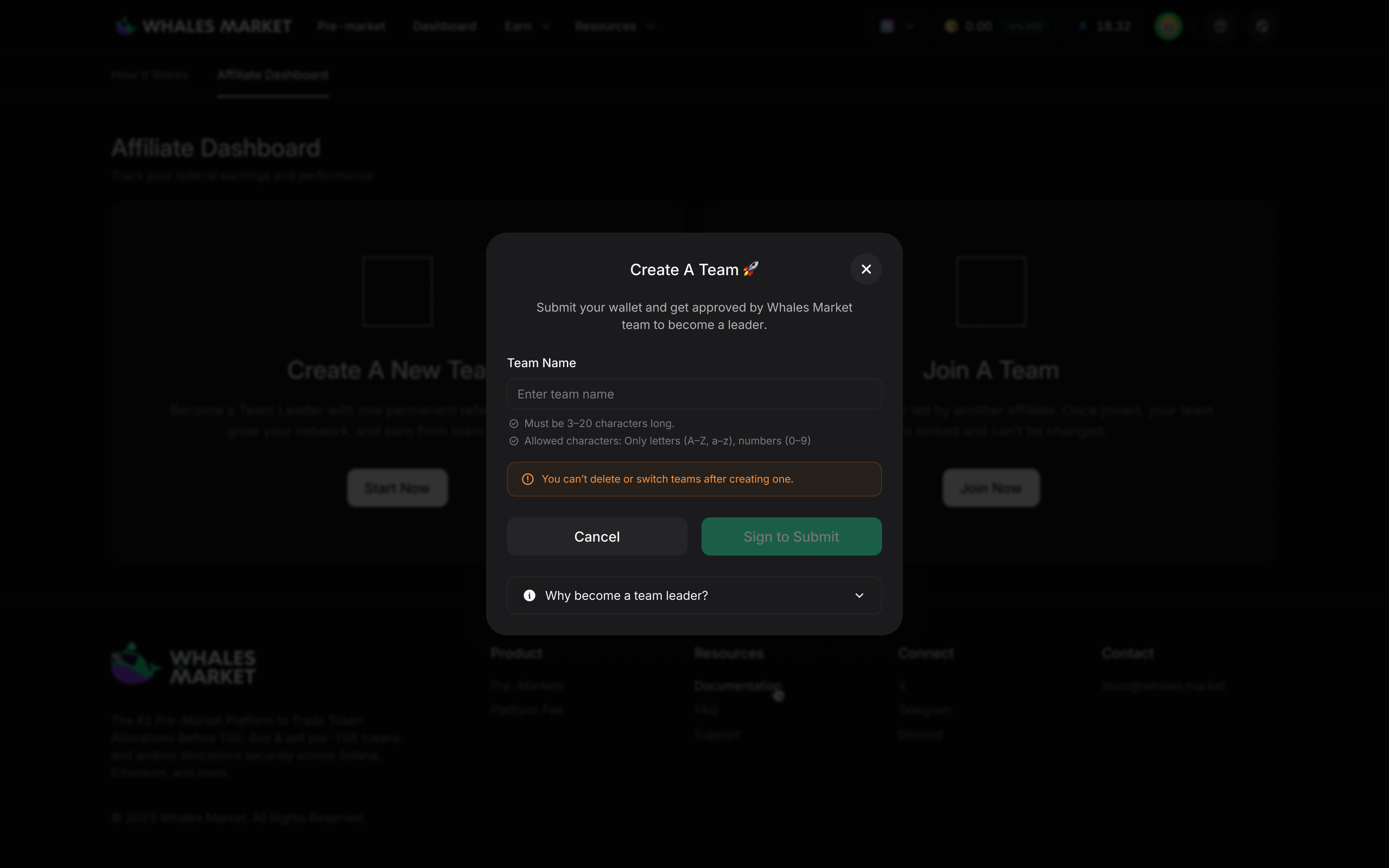
### **Leader (application required):**
1. Choose "Create A Team"
2. Connect wallet and finalize
3. After Admin approval, your Team is created and you get a default Leader link.
4. You can customize your referral link once the application is approved.
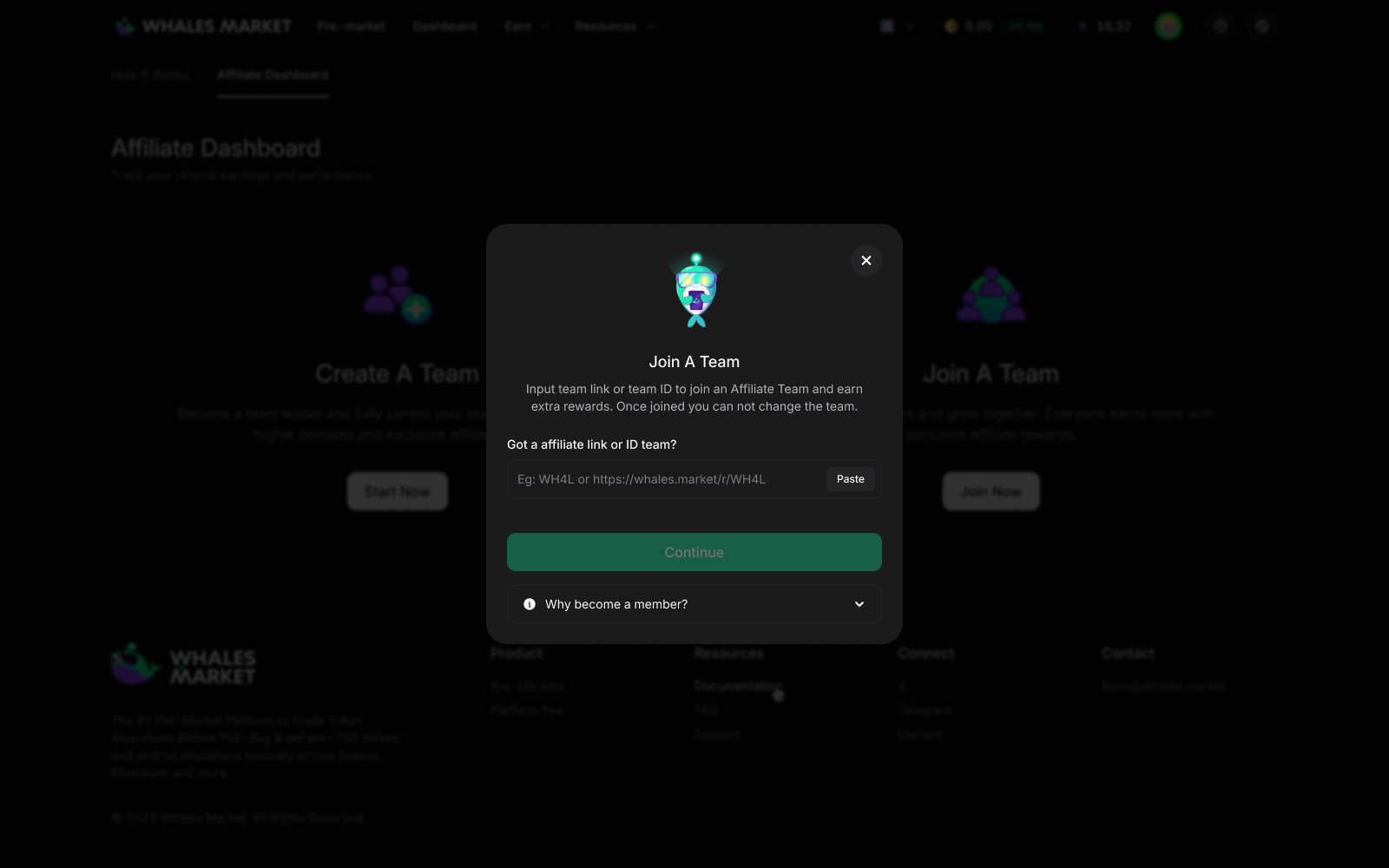
### **Member (no approval needed):**
1. Choose "Join A Team"\
2. Get your desired Leader’s link or code.\
3. Connect your wallet and finalize the process
4. Congratulations! You have joined a Team
.jpg?alt=media&token=7a763fe2-4b82-497f-916a-aa0446e726d2)
.jpg?alt=media&token=4804a37d-b443-4622-9b2b-f6faaff3d074)
.png?alt=media&token=db0c6739-52cc-43d0-8644-6f31aa3df7c4)
.png?alt=media&token=993ba995-ca08-41f0-a8e6-6afc3206b0b8)
.png?alt=media&token=8f87c952-ff96-4ca0-8f91-d6a157ccc9e7)