> For the complete documentation index, see [llms.txt](https://docs.whales.market/llms.txt). Markdown versions of documentation pages are available by appending `.md` to page URLs; this page is available as [Markdown](https://docs.whales.market/pre-market/cross-chain-settlement/buyer-settlement-flow.md).
# Buyer Settlement Flow
Before settlement
* The buyer has deposited collateral on the Listing Chain.
* The buyer holds the required payment token on the Listing Chain.
* Collateral serves only as a participation guarantee and is not part of the payment.
### Buyer Settlement
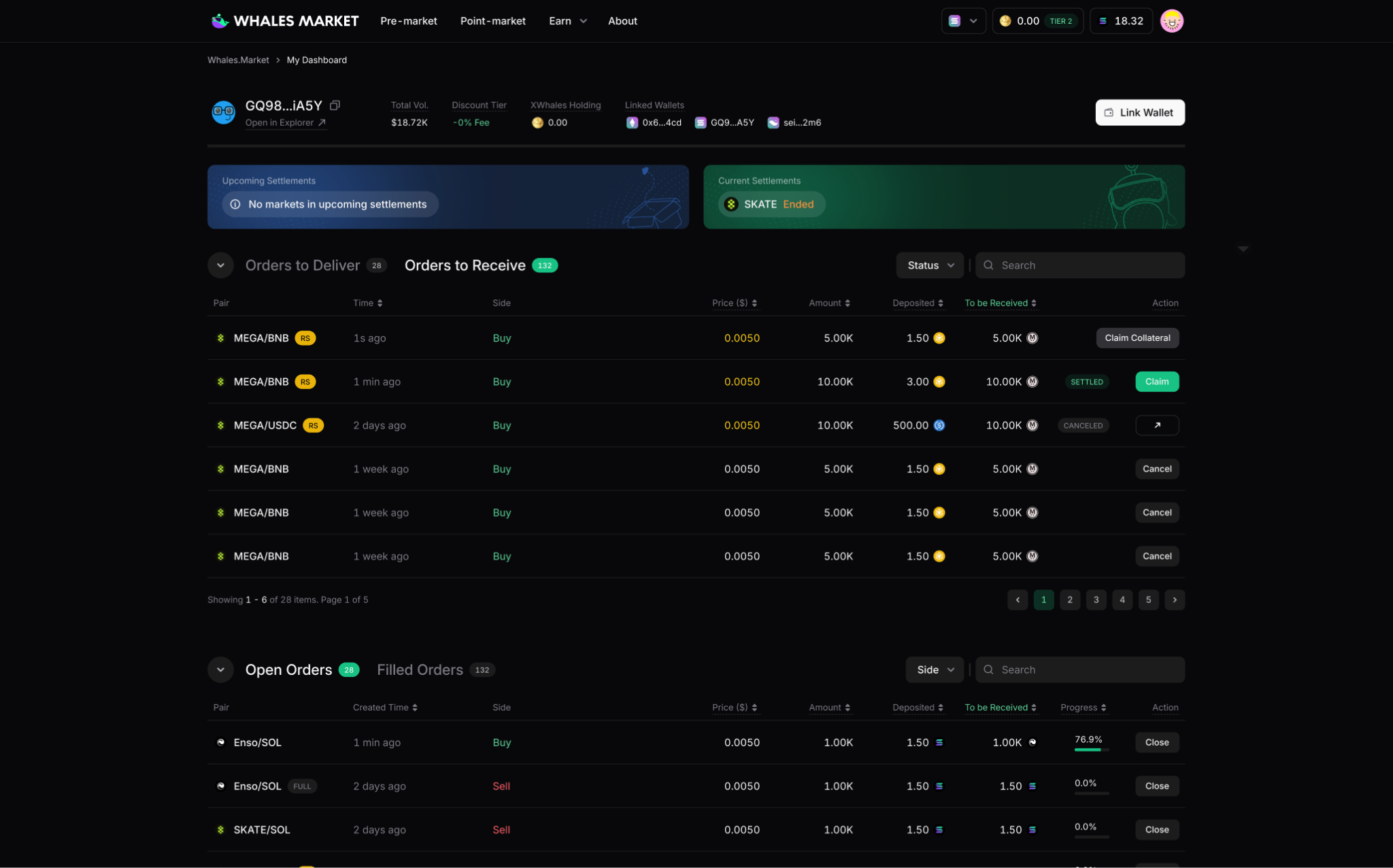
**Step 1:** When the buyer clicks **Claim**, the system verifies the network and balance.
**Step 2:** The buyer signs the payment transaction, and payment is transferred to the seller on the **Listing Chain**.
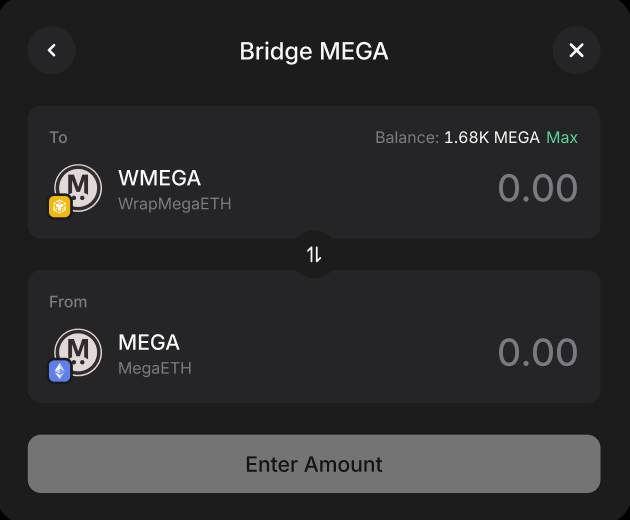
**Step 3**: The buyer must manually click the **Bridge button** to move the received assets from the Listing Chain back to the TGE Chain.
> **Note: Assets do not bridge automatically; the buyer must initiate this cross-chain action to receive native tokens.**
### After Settlement
* The buyer receives the native assets on the TGE Chain after the bridge process completes.
* The seller receives the payment on the Listing Chain.
* The trade is finalized once all cross-chain confirmations are secured via LayerZero.
***
### FAQs
When does a seller need to bridge tokens during settlement?
A bridge step is required if the system detects an insufficient balance of wrapped tokens on the Listing Chain to fulfill the specific order amount.
What actions must a seller take on the TGE Chain to initiate bridging?
The seller must switch their network to the TGE Chain, then approve and sign the bridge transaction as displayed in the interface.
How long does the bridging process typically take?
The bridge process may take several minutes, as it depends on the current network conditions of the LayerZero protocol.
What happens to the seller's original tokens after bridging?
The original tokens are locked in a smart contract on the TGE Chain; they remain owned by the seller but cannot be reused or withdrawn once the bridge is confirmed.
How is the settlement finalized after bridging is complete?
Once sufficient wrapped balance exists, the seller clicks "Settle" and signs the transaction to release the payment and update the order status to "Settled".