> For the complete documentation index, see [llms.txt](https://docs.whales.market/llms.txt). Markdown versions of documentation pages are available by appending `.md` to page URLs; this page is available as [Markdown](https://docs.whales.market/pre-market/cross-chain-settlement/seller-settlement-flow.md).
# Seller Settlement Flow
Simple steps to bridge and settle your order
### Before Settlement
* The seller owns tokens on the TGE Chain
* The order exists on the Listing Chain
* No tokens have been moved yet
### Initiating Settlement
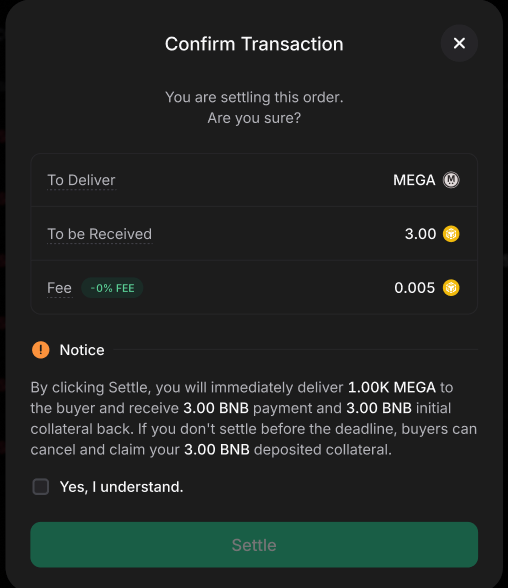
When the seller clicks the Settle button, the system checks:
* The exact token amount required for this order
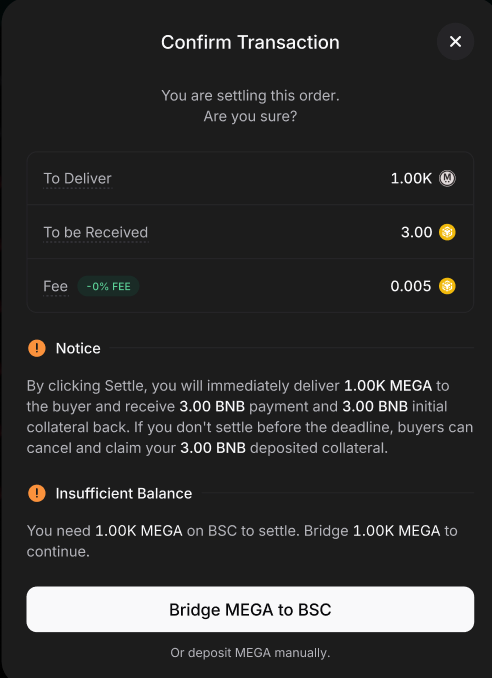
* Whether sufficient wrapped tokens already exist on the Listing Chain
If the balance is insufficient, a bridge step is required.
### Bridging Tokens
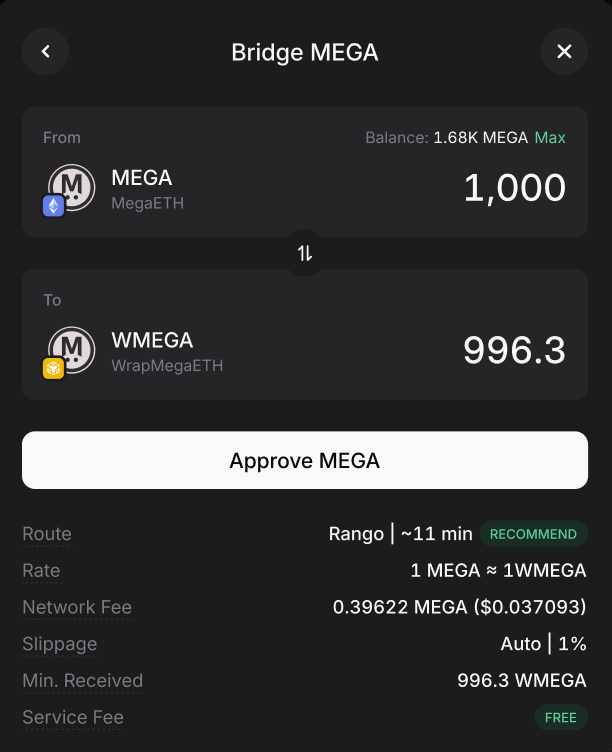
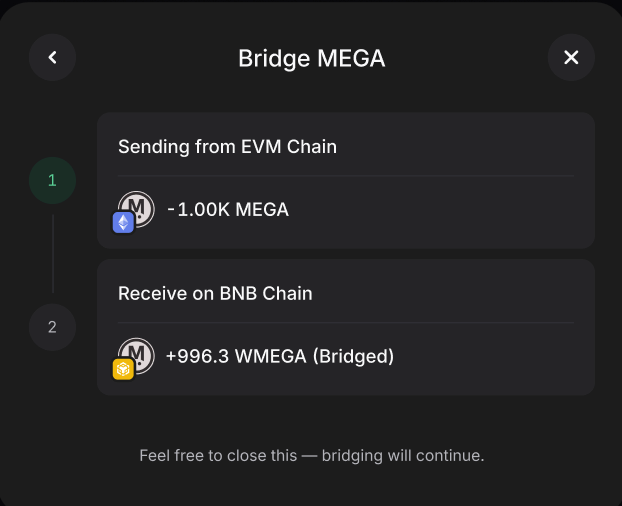
The interface will display:
* The exact amount required to settle the order
* The bridge direction (TGE Chain to Listing Chain)
The seller must:
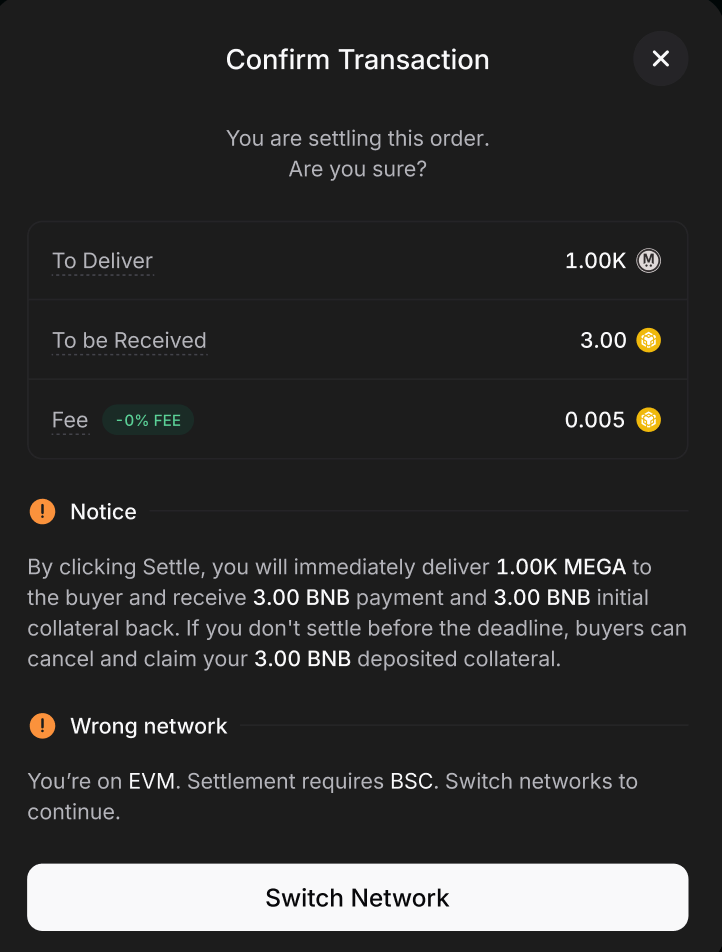
1. Switch the Network to the TGE Chain
2. Approve and sign the bridge transaction
3. Wait for LayerZero confirmation, then click on Settle
**Note: The bridge process may take several minutes depending on LayerZero network conditions.**
### After Bridging
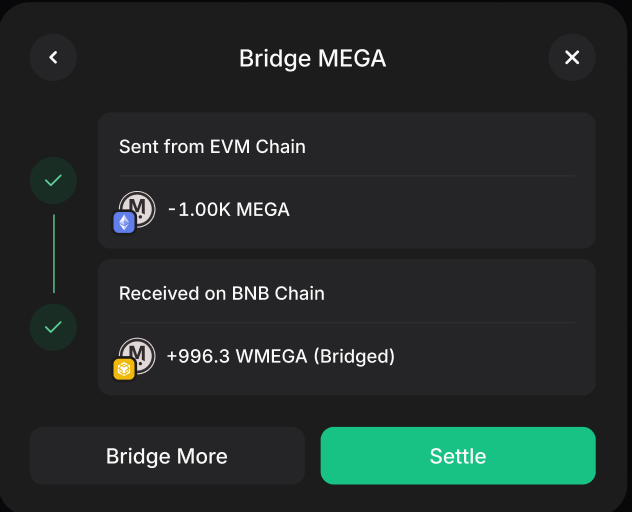
Once the bridge is confirmed:
* Wrapped tokens are minted on the Listing Chain
* Minted amount equals the bridged amount
* Tokens are backed **1:1** by locked assets on the TGE Chain
The original tokens:
* Are locked in a smart contract
* Remain owned by the seller
* Cannot be reused or withdrawn
### Completing Settlement
After sufficient wrapped balance exists:
* The seller click on settle and signs the settlement transaction
* Assets are transferred according to contract rules
* Payment is released to the seller
* The order status updates to Settled
***
### FAQs
When does a seller need to bridge tokens during settlement?
A bridge step is required if the system detects an insufficient balance of wrapped tokens on the Listing Chain to fulfill the specific order amount.
What actions must a seller take on the TGE Chain to initiate bridging?
The seller must switch their network to the TGE Chain, then approve and sign the bridge transaction as displayed in the interface.
How long does the bridging process typically take?
The bridge process may take several minutes, as it depends on the current network conditions of the LayerZero protocol.
What happens to the seller's original tokens after bridging?
The original tokens are locked in a smart contract on the TGE Chain; they remain owned by the seller but cannot be reused or withdrawn once the bridge is confirmed.
How is the settlement finalized after bridging is complete?
Once sufficient wrapped balance exists, the seller clicks "Settle" and signs the transaction to release the payment and update the order status to "Settled".