# Buy Order
**Step 1:** Choose **the side** you want to trade (**Yes** or **No**). The price of each side is displayed in real-time within the execution panel.
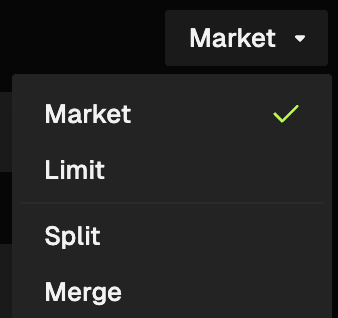
**Step 2:** Select **Market** for an instant fill at the current price, or **Limit** if you want to set a specific target price.
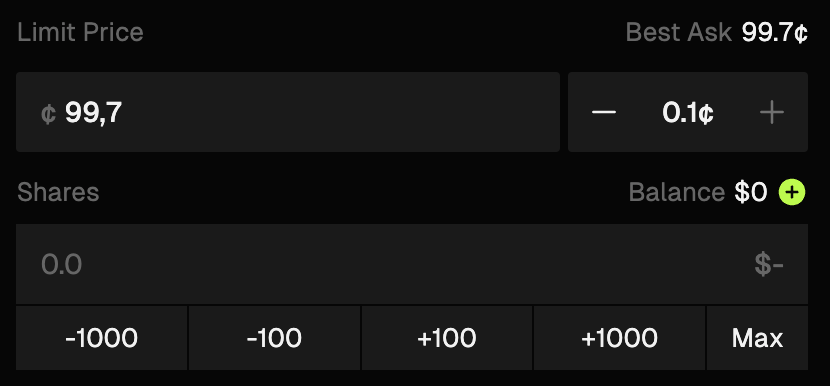
**Step 3:** Type in the **amount ($)** you wish to spend and, if using a Limit Order, the **specific price** you want to place your order at.
Use the **Quick Buttons ($10, $100, etc.)** or click **Max** to use your entire available balance.
**Step 4 (option):** Set Risk Controls (Coming Soon). This option allows you to set your Take Profit or Stop Loss levels before you even enter the trade.
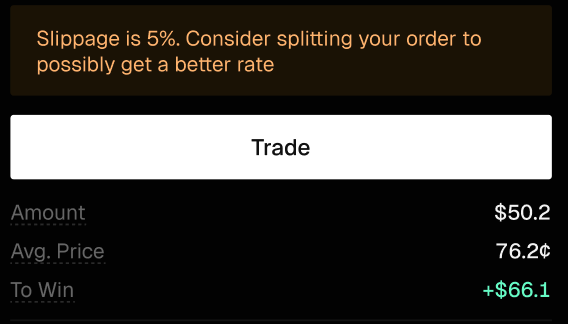
**Step 5:** Review **Slippage**, **Total cost** and potential **To win** amount, then click the **Trade** or **Place Order** button to execute.
***
### FAQs
What is a Buy Order in Whales Prediction?
A Buy Order allows you to enter a prediction market by purchasing Yes or No shares for a specific outcome.
How do I place a Buy Order?
Select the Yes or No side, choose Market or Limit order type, enter the amount you want to spend, review the details, and confirm the trade.
What is the difference between Market and Limit Buy Orders?
Market Buy Orders execute instantly at the best available price, while Limit Buy Orders execute only at the price you specify.
What information should I review before confirming a Buy Order?
You should review the order price, total cost, potential payout, and any displayed slippage before confirming.
How fast does a Buy Order execute?
Market Buy Orders execute immediately, while Limit Buy Orders execute only when the market reaches your specified price.
---
# Agent Instructions: Querying This Documentation
If you need additional information that is not directly available in this page, you can query the documentation dynamically by asking a question.
Perform an HTTP GET request on the current page URL with the `ask` query parameter:
```
GET https://docs.whales.market/whales-prediction/trading-terminal/buy-order.md?ask=
```
The question should be specific, self-contained, and written in natural language.
The response will contain a direct answer to the question and relevant excerpts and sources from the documentation.
Use this mechanism when the answer is not explicitly present in the current page, you need clarification or additional context, or you want to retrieve related documentation sections.