# Terminal
Before placing your first order, familiarize yourself with the four main zones of the Trading Terminal.
### **Market Information & Rules (Top Bar)**
The top navigation bar provides all the essential context you need to understand and follow an event's progress:
* **Market header:** Displays the event name, source platform icon, time remaining.
* **Quick info:** Access the official **Rules**, **More Insights**, or view the source market directly.
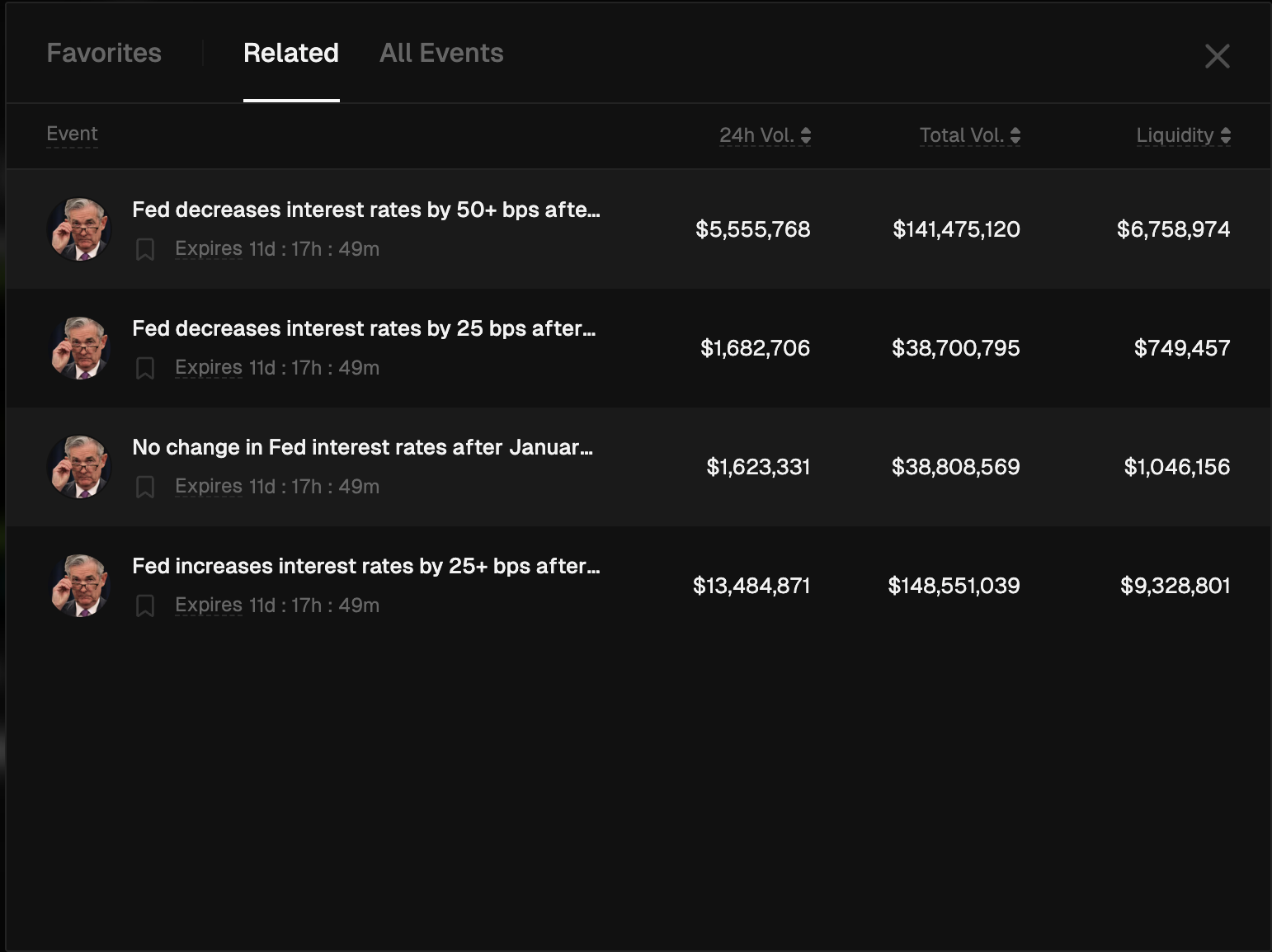
On the right side of the market title, you will see a “v” button to see your **Favorites**, **Related** or **All Events**.
### **All Markets (Left Sidebar)**
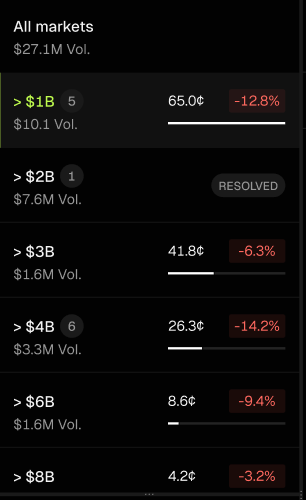
The left column allows you to switch quickly between different prediction options within the same event:
* **Market selector:** Quickly switch between different outcomes within the same event (e.g., different price targets for Bitcoin or various interest rate levels).
* **Quick stats:** Each market in the list shows its current price and 24h trend so you can spot moving opportunities instantly.
### **Chart & Order Book (Center)**
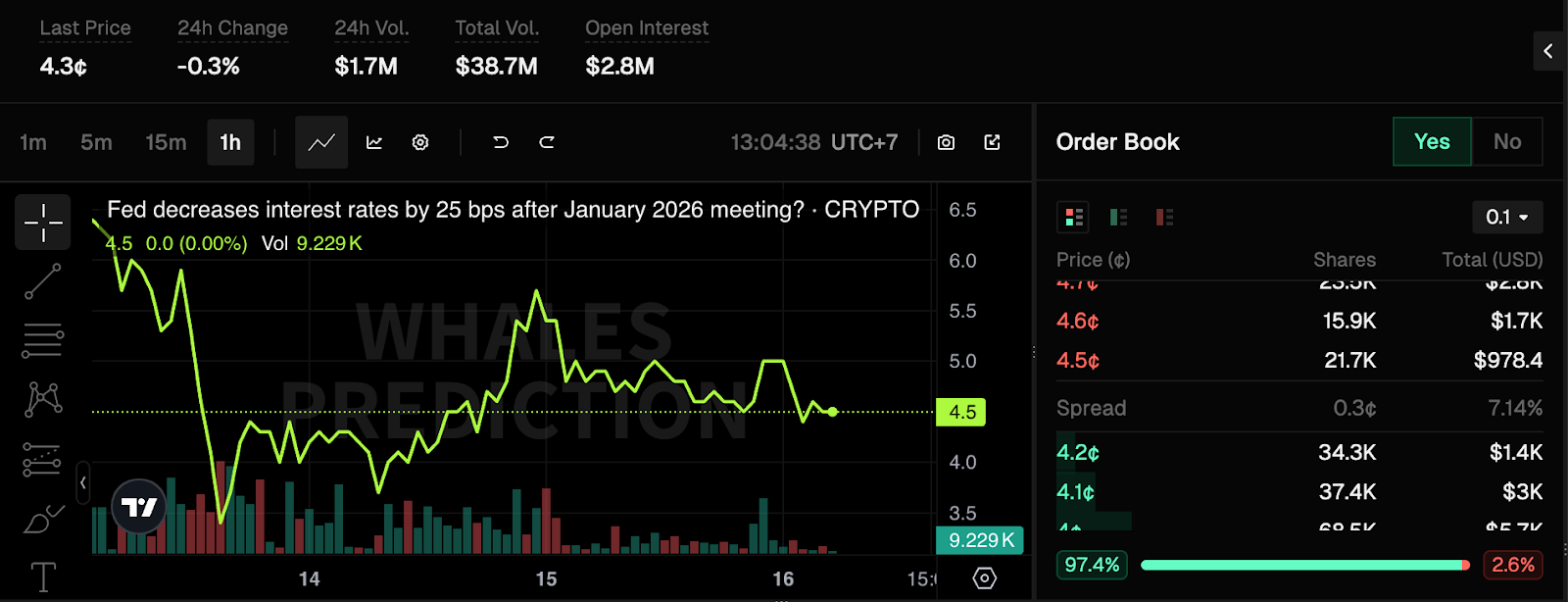
The center area provides a deep look at price movements and the current buying or selling activity:
* **Live stats:** Instant view of the **Last Price**, **24h Change**, **Total Volume**, and **Open Interest**.
* **Interactive charting:** Analyze price action with candlestick or line charts. Switch **timeframes** from 1m to 1D to spot trends.
* **Live order book:** Watch the heartbeat of the market. See exactly where buyers (**Bids**) and sellers (**Asks**) are lining up their orders.
* **Market spread:** Monitor the gap between the best **buy** and **sell** **prices** to ensure the most efficient entry.
### **Execution Panel (Right Sidebar)**
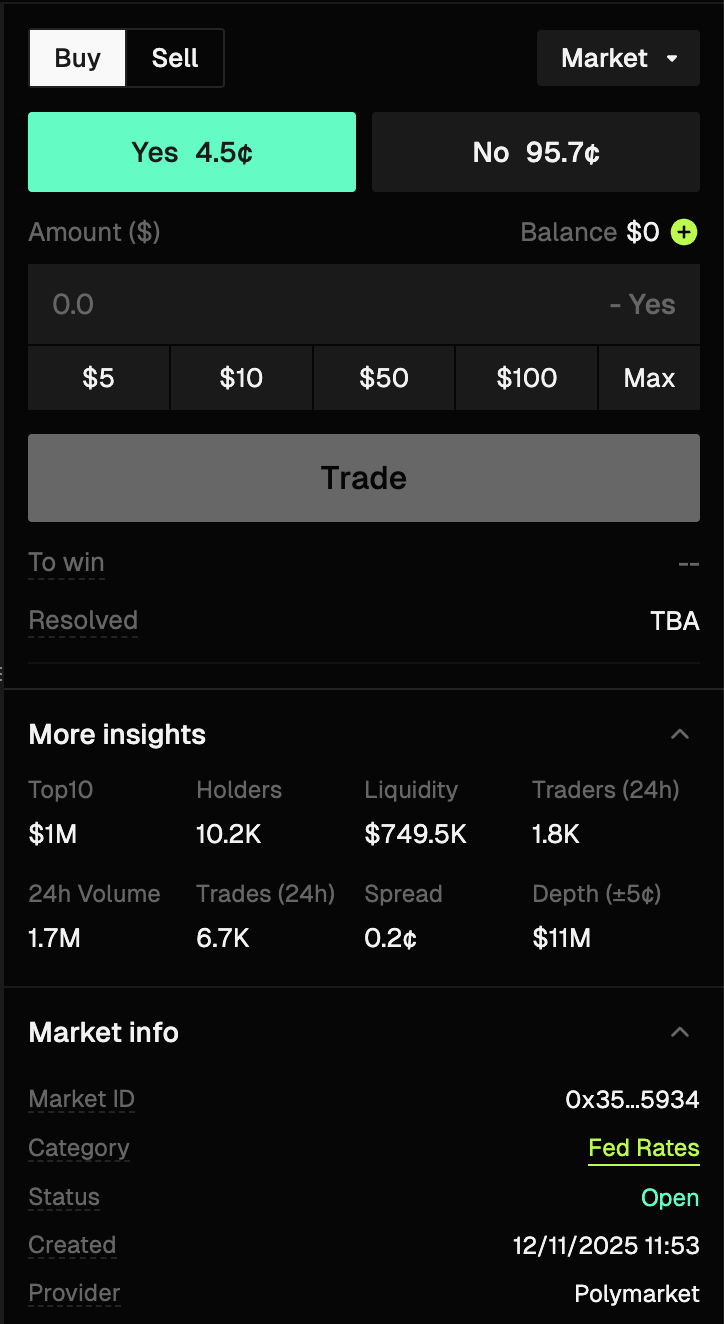
The right sidebar is your main action area for placing orders and checking your available balance:
* **Trade interface:** This is your action zone. Switch between **Buy/Sell** or **Yes/No** outcomes.
* **Smart toggle:** Use the small "**<**" arrow button to expand the panel for trading or collapse it to maximize your chart view.
* **Balance & PnL:** View your available cash and see your potential "**To win**" amount before confirming a trade.
### **Data & Activity (Bottom Section)**
The bottom section helps you track market money flow and your personal activity for the selected event:
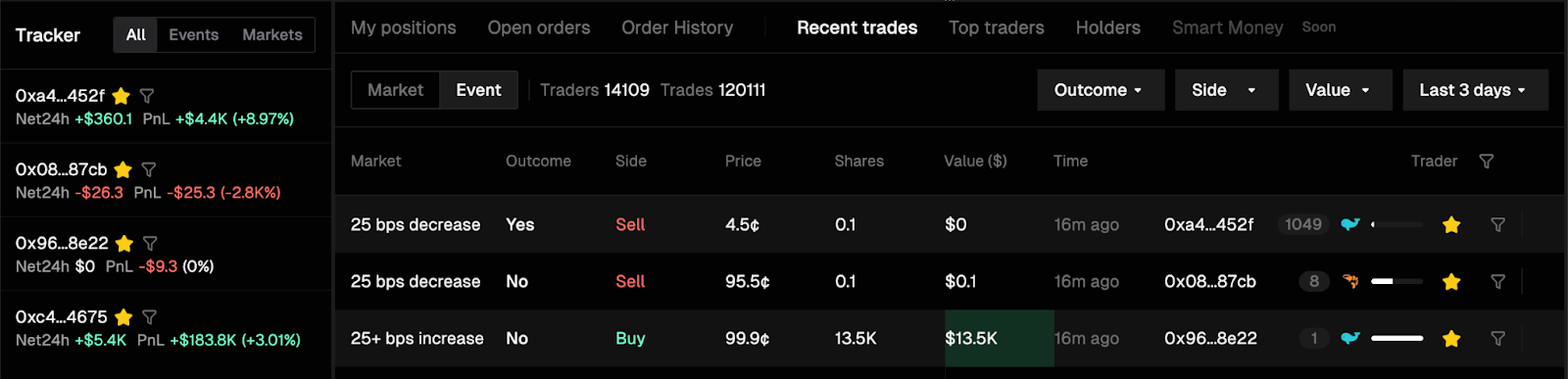
* **Trade history:** Switch between **Recent Trades**, **Top Traders**, and **Holders** to see who is active in this market.
* **My activity:** Toggle to **My Positions**, **Open Orders**, or Order **History** to manage your specific trades for this event.
* **Tracker sidebar:** Monitor other trending markets or your favorite wallets while you trade by clicking the \[star] icon in each row.
***
### FAQs
What is the Terminal in Whales Prediction?
The Terminal is a high-speed trading view that gives traders a complete picture of a market for fast and informed execution.
What are the main sections of the Terminal?
The Terminal includes Market Information and Rules, the market selector sidebar, the chart and order book view, the execution panel, and the data and activity section.
What can I see in the Market Information and Rules section?
You can view the event name, source platform, time remaining, official market rules, and links to the original source market.
How does the Terminal help with fast execution?
It keeps charts, order books, balances, and execution controls visible at the same time, reducing friction and reaction time.
Who should use the Terminal view?
It is built for traders who need speed, clarity, and full context when actively trading prediction markets.
---
# Agent Instructions: Querying This Documentation
If you need additional information that is not directly available in this page, you can query the documentation dynamically by asking a question.
Perform an HTTP GET request on the current page URL with the `ask` query parameter:
```
GET https://docs.whales.market/whales-prediction/trading-terminal/terminal.md?ask=
```
The question should be specific, self-contained, and written in natural language.
The response will contain a direct answer to the question and relevant excerpts and sources from the documentation.
Use this mechanism when the answer is not explicitly present in the current page, you need clarification or additional context, or you want to retrieve related documentation sections.